Movicon Help on Line - Rel. 11.7.1302
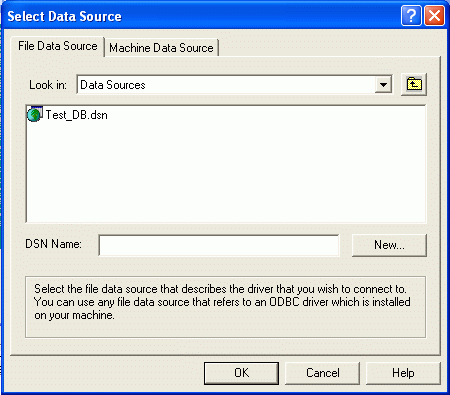
The Grid object allows Database files to be displayed by using its ODBC DSN connection. In order for this to happen, you will have to configure a DSN Data source for the Database file which you wish to display. To select the data source to be associated to the Grid object, you can use the "Open" command from the object's General properties or double-click on the object while keeping the SHIFT key pressed down. The following window will appear:
You can select or create a file data source clicking on the the "New..." button in this window. You can use other tab to select the machine data source:
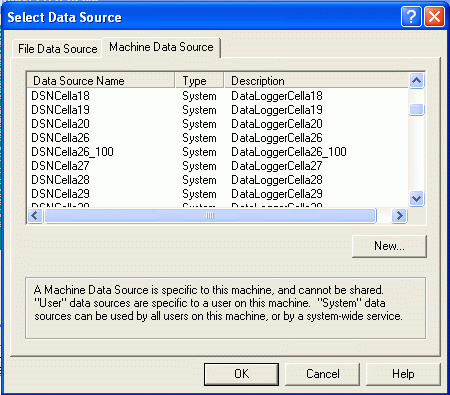
Once the data source has been selected a window will appear with a list of tables that are available in the Database. When you select the table you wish to use, a list of its fields will display on the right hand side.
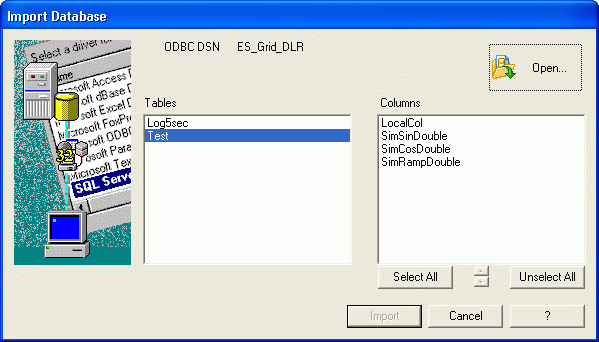
You can select or deselect any one of the table's fields to import the table columns need. A SELECT query will be generated based on the selection made to extract the data to be displayed on the Grid.
The "Open" button allows you to select a new data source, by re-showing the previous window.
The "Import" button ends the data source selection procedure by creating a Select query which will then be returned to the "Query" property of the "Grid Execution Properties" group.
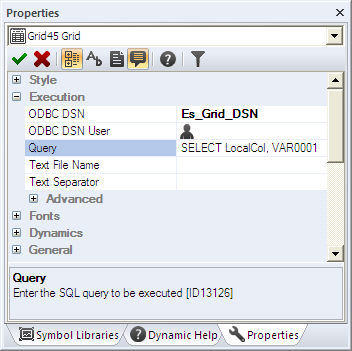
The recognized order in which the data is extracted is the one set by the Select query. If the query is changed manually, a mismatch may occur between the Grid's column titles and the data displayed in those columns. In order to change the Grid's structure in the way you want it, we suggest you use the Basic Script functions to insert and place the columns in the order desired. If you wish to change the columns during project development stage, you can interact with the object's XML codes in the usual way.
|
You may need to activate the "WebServiceClientBlockUIOnLoading" registry key when loading data from a Web Client session in order to load it more quickly in the Grid object (see topic: "User Interface Registry Keys") |