Movicon Help on Line - Rel. 11.7.1302
Variables can be put into one or more groups within the "Real Time DB" resource. The "New Variable Group..." command can be accessed with a right mouse click on the resource or from the command list. The created groups cannot be renamed or cancelled (they do not have properties) from the "Real Time DB" window. They are automatically deleted when they do not contain any variables but only disappear from the "Real Time DB" when the project is reopened in development mode.
Since the order by and filters are applied according to the resource type selected only, the use of the variables groups is useful for speeding up these operations in projects with a very high number of variables.
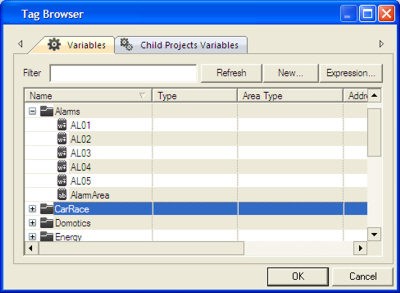
Groups which are created in this way are also made available from the Movicon "Tag Browser" window.
|
|
When adding a new variable in the 'Tag Browser' window, it will be added to the main Variable list root. If, however, a variable group has been selected within the Project Explorer Window, the new variable added withiin the Tag Brower wndiow will get inserted within this group. |
The "Group" property is found in the "DBVarObjCmdTarget" Basic Script interface and allows you to retrieve the group which the variable belongs to.
|
|
When using an alarm as a template, with the alarm's "Alarm Area" property left blank and the associated variable belongs to a variable Group, the alarm will be created belonging to the area with the same name of that variable's Group. For example, associating a digital alarm as a template to the "VAR00001" variable inserted in the "Group1" group, the alarm will be created belonging to the "Group1" area. In addtion, if the variable is inserted in a sub-group, the alarm area will obtain the name composed of the groups' names separated with the "." character. For example if the "VAR00001" belonging to "Group1" is inserted into "Group2", the alarm will then belong to the "Group1.Group2" area.
|